In this tutorial, we will build a simple yet powerful data logger using the ESP32 microcontroller. The device will:
- Read temperature data using a sensor (e.g., DS18B20 or DHT11/22).
- Store the data on an SD card.
- Provide real-time monitoring via a web server using WebSockets.
Components Needed:
- ESP32 microcontroller
- Temperature sensor (e.g., DS18B20 or DHT11/22)
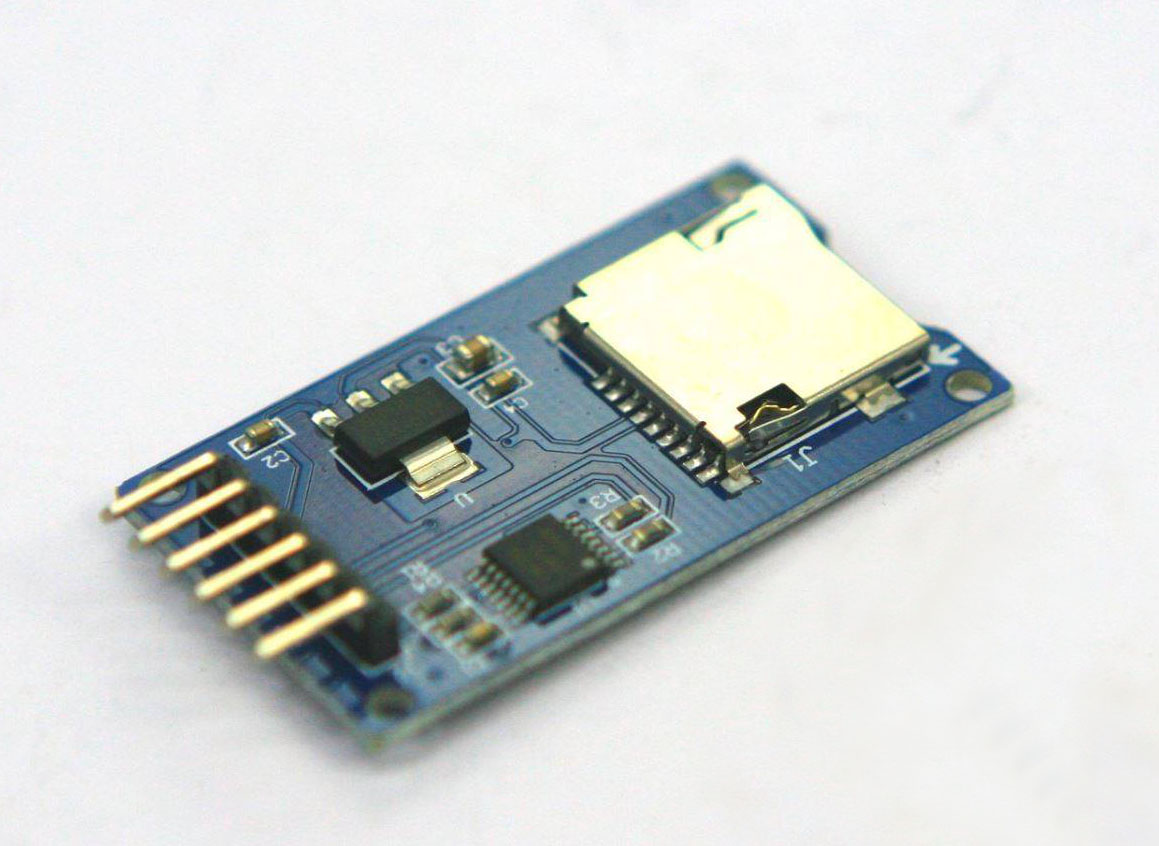
- SD card module and microSD card
- Jumper wires and breadboard
- Power source (e.g., USB cable or battery pack)
Step 1: Setting Up the Hardware
1.1 ESP32 and SD Card Module Wiring
Connect the SD card module to the ESP32 as follows:
| SD Card Module Pin | ESP32 Pin |
| VCC | 3.3V |
| GND | GND |
| MISO | GPIO19 (or your choice) |
| MOSI | GPIO23 |
| SCK | GPIO18 |
| CS | GPIO5 |
1.2 Connecting the Temperature Sensor
For a DS18B20 sensor (in parasite power mode):
| DS18B20 Pin | ESP32 Pin |
| VCC | 3.3V |
| GND | GND |
| Data | GPIO4 |
Don’t forget to add a 4.7kΩ pull-up resistor between the Data and VCC pins.
Step 2: Software Setup
2.1 Install Necessary Libraries
Ensure you have the following libraries installed in your Arduino IDE:
- OneWire and DallasTemperature (for DS18B20)
- SD (for SD card handling)
- ESPAsyncWebServer and AsyncTCP (for WebSockets)
2.2 Sketch for the ESP32
Here is the complete sketch:
#include <SD.h>
#include <SPI.h>
#include <OneWire.h>
#include <DallasTemperature.h>
#include <WiFi.h>
#include <ESPAsyncWebServer.h>


// Replace with your network credentials
const char* ssid = "YOUR_SSID";
const char* password = "YOUR_PASSWORD";

// Pins
#define ONE_WIRE_BUS 4
#define SD_CS_PIN 5

// Temperature sensor setup
OneWire oneWire(ONE_WIRE_BUS);
DallasTemperature sensors(&oneWire);

// Web server and WebSocket
AsyncWebServer server(80);
AsyncWebSocket ws("/ws");

// File on SD card
File logFile;

void setup() {
  Serial.begin(115200);

  // Initialize temperature sensor
  sensors.begin();

  // Initialize SD card
  if (!SD.begin(SD_CS_PIN)) {
    Serial.println("SD card initialization failed!");
    while (true);
  }
  Serial.println("SD card initialized.");

  // Connect to Wi-Fi
  WiFi.begin(ssid, password);
  while (WiFi.status() != WL_CONNECTED) {
    delay(1000);
    Serial.println("Connecting to WiFi...");
  }
  Serial.println("Connected to WiFi");
  Serial.print("IP Address: ");
  Serial.println(WiFi.localIP());

  // Initialize WebSocket
  ws.onEvent(onWebSocketEvent);
  server.addHandler(&ws);

  // Serve web page
  server.on("/", HTTP_GET, [](AsyncWebServerRequest *request) {
    request->send(SD, "/index.html", "text/html");
  });

  // Start server
  server.begin();
}

void loop() {
  sensors.requestTemperatures();
  float temperature = sensors.getTempCByIndex(0);
  logTemperature(temperature);
  ws.textAll(String(temperature));
  delay(1000);
}

void logTemperature(float temp) {
  String dataString = String(millis()) + "," + String(temp);

  // Open log file
  logFile = SD.open("/datalog.csv", FILE_APPEND);
  if (logFile) {
    logFile.println(dataString);
    logFile.close();
    Serial.println("Logged: " + dataString);
  } else {
    Serial.println("Failed to open log file");
  }
}

void onWebSocketEvent(AsyncWebSocket *server, AsyncWebSocketClient *client, AwsEventType type, void *arg, uint8_t *data, size_t len) {
  if (type == WS_EVT_CONNECT) {
    Serial.println("WebSocket client connected");
  } else if (type == WS_EVT_DISCONNECT) {
    Serial.println("WebSocket client disconnected");
  }
}
Step 3: Web Interface
Create a simple HTML page to view the temperature in real-time. Save it as index.html on the SD card.
<!DOCTYPE html>
<html>
<head>
  <title>Temperature Logger</title>
</head>
<body>
  <h1>Real-Time Temperature</h1>
  <div id="temperature">Loading...</div>

  <script>
    const ws = new WebSocket(`ws://${location.host}/ws`);
    ws.onmessage = (event) => {
      document.getElementById('temperature').innerText = `Temperature: ${event.data} °C`;
    };
  </script>

</body>
</html>
Step 4: Testing
- Upload the sketch to your ESP32.
- Insert the SD card and power on the device.
- Connect your computer or phone to the same Wi-Fi network.
- Open a browser and navigate to the ESP32’s IP address to view the temperature data in real-time.
Conclusion
You’ve built a data logger that:
- Logs temperature data to an SD card.
- Displays real-time data through a web interface using WebSockets.
This project can be expanded by adding:
- More sensors.
- A database integration.
- MQTT for remote monitoring.
Happy logging!