As a business expands, its IT infrastructure rarely stays the same. Websites receive more visitors, applications become more demanding, employees need access to remote systems, and internal services require dependable computing resources. What starts as a relatively small hosting expense can eventually become a significant part of the company's operating budget.
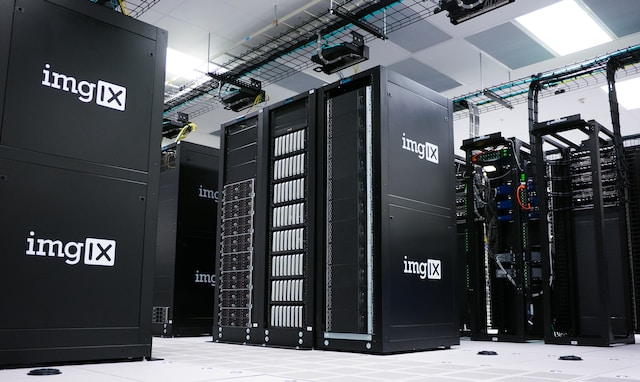
Traditional infrastructure can make this problem even more expensive. Purchasing physical servers means paying for hardware before it is fully needed, while electricity, cooling, networking, maintenance, replacement parts, and administration continue to generate costs over time.
A Virtual Private Server (VPS) offers another approach. Instead of purchasing and operating a physical machine, a business rents an isolated virtual server with dedicated or allocated computing resources and administrative access. This makes it possible to build a capable server environment without taking on the full cost of owning physical infrastructure.
Where the VPS Economic Advantage Comes From
A VPS is created through virtualization, allowing multiple independent virtual server environments to operate on the same physical infrastructure. Each environment can run its own operating system, applications, databases, and services while remaining logically separated from other customers.
The hosting provider operates the underlying physical infrastructure and distributes its resources among multiple virtual machines. This shared model improves hardware utilization and allows the cost of the physical infrastructure to be distributed across several customers.
For a business, the important benefit is not simply that a VPS can have a lower monthly price than a physical server. The larger advantage is cost alignment: the company can select resources that correspond to its current workload instead of purchasing a large amount of hardware in anticipation of future growth.
The real financial value of a VPS comes from paying for the infrastructure a business actually needs and increasing capacity when demand justifies it, rather than investing heavily in unused physical capacity.
Why Physical IT Infrastructure Can Become Expensive
The price of a server is only one part of the cost of running physical infrastructure. Once a company operates its own hardware, numerous additional expenses can appear.
For a small or medium-sized company, this can create a poor return on infrastructure investment. A physical server may have considerably more capacity than the business currently consumes, leaving a substantial portion of its CPU, RAM, and storage unused.
How a VPS Changes the Infrastructure Spending Model
With a VPS, the business does not need to purchase the physical machine on which its virtual server operates. Instead, the hosting provider supplies the underlying infrastructure while the customer receives a virtual environment with its own allocated resources.
This creates a different financial model. Instead of making a large capital expenditure based on projected requirements, the company can select a VPS configuration that fits its present workload and adjust it as that workload changes.
| Physical Infrastructure | VPS Infrastructure |
|---|---|
| Significant hardware investment | Recurring cost based on the selected VPS |
| Capacity purchased ahead of demand | Resources selected according to workload |
| Business operates physical hardware | Provider operates the physical host |
| Hardware failures are a direct business concern | Physical host maintenance is handled by the provider |
| Scaling can require additional hardware | Resources can often be upgraded without purchasing a new physical server |
1. Replace Large Hardware Purchases with Predictable Infrastructure Costs
Buying a physical server requires the business to spend money before the infrastructure is fully utilized. Depending on the environment, the initial investment may also include storage systems, backup hardware, redundant power, network equipment, and other components.
A VPS removes the need for the company to purchase the underlying physical machine. The provider owns and operates that infrastructure, while the business pays for access to the virtual resources it uses.
When comparing a VPS with physical infrastructure, calculate the full cost of ownership instead of comparing a server's purchase price with the VPS subscription alone.
2. Stop Overpaying for Future Capacity
Overprovisioning is a common problem in business IT. Companies frequently purchase hardware based on what they expect to need several years from now rather than what their applications require today.
Imagine that an application currently needs four CPU cores, 8 GB of RAM, and 100 GB of storage. A company anticipating rapid growth might purchase a substantially larger physical server immediately.
If that growth takes two or three years to materialize, most of the additional capacity remains idle during that period.
A VPS allows the business to take a more incremental approach: start with an appropriate configuration, monitor actual consumption, and increase resources when the workload requires them.
Infrastructure should be sized according to measured resource consumption whenever possible. Future growth can be accommodated through planned upgrades instead of purchasing excess capacity years in advance.
3. Reduce Physical Hardware Maintenance
Owning a server also means accepting responsibility for the hardware itself. Disks fail, memory modules can develop problems, power supplies need replacement, and older equipment eventually reaches the end of its useful life.
A VPS moves responsibility for the physical host to the hosting provider. The business still manages its operating system, applications, data, and security configuration when using an unmanaged VPS, but it does not need to maintain the physical server underneath the virtualization layer.
This can reduce direct maintenance expenses and free internal IT staff from tasks related to physical hardware.
4. Consolidate Appropriate Services
A properly sized VPS can support several related business services instead of requiring a separate server for every application.
Consolidation can reduce infrastructure fragmentation and eliminate unnecessary hosting instances. However, it should be done carefully. Applications with different availability, security, or performance requirements may need to remain isolated.
Putting every business service on one VPS can create a single point of failure. If that server becomes unavailable, multiple applications may go offline simultaneously.
5. Make Growth Easier to Manage
Infrastructure requirements can change quickly. A marketing campaign may generate a traffic spike, an online store may experience seasonal demand, or a new application may require additional CPU and memory as its user base expands.
Physical infrastructure often requires a procurement cycle when additional capacity is needed. A VPS can make the process considerably more straightforward.
6. Reduce the Need for On-Premises Server Rooms
Some businesses maintain servers inside their own offices because they need specific applications, databases, or internal services under their control. However, keeping physical infrastructure on-site introduces additional operational requirements.
A VPS can move suitable workloads into a professional data center without requiring the company to operate its own server room.
This can reduce expenses associated with power consumption, cooling, physical security, network infrastructure, hardware replacement, and dedicated equipment space.
For distributed teams, a centrally hosted VPS can also provide a consistent environment that authorized employees and systems can access remotely.
7. Use Separate VPS Environments for Development and Staging
Production is not the only environment that requires computing resources. Development teams often need servers for testing new releases, databases, APIs, integrations, and configuration changes.
Using a VPS for development or staging can provide an isolated environment without requiring additional physical infrastructure.
Keep development and production workloads separated whenever possible. A low-cost staging VPS can be enough for testing while reducing the risk of experimental changes affecting the live environment.
8. Automate Repetitive Server Tasks
Infrastructure costs are not limited to hardware and hosting fees. IT personnel also spend time performing repetitive administrative tasks.
Because a VPS provides administrative access, many routine operations can be automated. Examples include scheduled backups, software updates, monitoring, log management, deployment processes, maintenance scripts, and automated alerts.
Automation does not remove the need for qualified IT personnel. Instead, it allows them to spend less time performing predictable manual tasks and more time working on higher-value infrastructure and business requirements.
Long-term infrastructure efficiency depends not only on server pricing but also on reducing the amount of manual work required to operate the environment.
9. VPS or Dedicated Server: Which Is More Cost-Efficient?
A dedicated server provides exclusive access to an entire physical machine. This can be valuable for high-performance databases, resource-intensive applications, specialized software, or workloads with strict hardware requirements.
However, many small and medium-sized businesses do not need the capacity of an entire physical server.
| Factor | VPS | Dedicated Server |
|---|---|---|
| Entry Cost | Typically lower | Typically higher |
| Resources | Virtualized resources | Entire physical machine |
| Scaling | Usually easier to adjust | May require hardware changes |
| Typical Use | Websites, applications, development, business services | High-resource or specialized workloads |
The goal is not to prove that a VPS is always cheaper. The objective is to avoid paying for infrastructure that the workload does not actually require.
If a business only needs a fraction of the resources available on a dedicated machine, a VPS can provide a more economical infrastructure model while still offering root or administrative access and greater control than shared hosting.
10. Look at Total Cost of Ownership, Not Just the Monthly Server Price
One of the most common mistakes when comparing infrastructure options is focusing exclusively on the advertised hosting price.
The more useful measurement is Total Cost of Ownership (TCO). This includes not only the server itself but also the operational resources required to keep the environment secure, available, backed up, and properly maintained.
| Cost Area | What to Consider |
|---|---|
| Hardware | Servers, storage, networking equipment, and replacement components |
| Operations | IT staff time, administration, monitoring, and maintenance |
| Security | Firewalls, access controls, security tools, patching, and monitoring |
| Backup | Backup storage, retention, and disaster recovery procedures |
| Downtime | The potential financial impact of infrastructure failure and service interruption |
A VPS may cost more per month than entry-level shared hosting while still being the more appropriate financial choice for a business application. The additional control, predictable resources, isolation, and administrative flexibility can justify the difference.
When a VPS May Not Be the Right Cost-Saving Solution
VPS hosting is not automatically the cheapest option for every workload.
A simple company website with low traffic may work perfectly well on shared hosting. At the other end of the spectrum, a large enterprise platform may require dedicated servers, managed cloud infrastructure, load balancing, distributed databases, or other specialized architecture.
The right question is therefore not "Which hosting option has the lowest monthly price?"
It is:
"Which infrastructure model provides the resources, reliability, control, and scalability this workload requires at the lowest reasonable total cost?"
Choosing a VPS only because it has a low monthly price can create false savings. Poor security, inadequate backups, insufficient capacity, or prolonged downtime can cost a business significantly more than the hosting bill.
Building a More Efficient VPS Strategy
Businesses can improve the financial efficiency of their VPS infrastructure by treating server capacity as something to measure and optimize rather than something to purchase in excess.
Security and Backups Are Part of the Budget
Cost optimization should never mean removing the controls that protect business data and availability.
A VPS gives a company considerably more control than shared hosting, but that control also comes with responsibility. Depending on the hosting model, the business may need to handle operating system updates, firewall rules, access management, SSH security, malware protection, monitoring, and backups.
These services should be included when calculating the actual cost of the infrastructure.
A server that costs very little but has no reliable recovery strategy is not necessarily an economical solution. If a hardware or software failure causes data loss or several days of downtime, the resulting business costs can easily exceed the money saved on hosting.
Consider backups, monitoring, access control, and security part of the infrastructure itself. Effective cost optimization removes unnecessary spending while preserving the safeguards the business depends on.
Conclusion
A VPS can give businesses a practical way to control IT infrastructure costs without giving up the flexibility and administrative control required by modern applications.
Instead of purchasing physical hardware with more capacity than the business currently needs, companies can deploy an appropriately sized virtual server and expand it as workloads grow. This can reduce capital expenditure, simplify infrastructure management, and make resource planning more predictable.
The potential savings extend beyond the server itself. Businesses can reduce physical infrastructure requirements, consolidate suitable services, create inexpensive development environments, automate routine administration, and avoid unnecessary overprovisioning.
However, the cheapest VPS plan is not necessarily the most economical solution. The right choice depends on workload requirements, resource utilization, reliability, security, backup requirements, and the amount of IT administration involved.
The most effective VPS cost strategy is to match server capacity to actual workloads, avoid paying for infrastructure that sits idle, automate repetitive operations, and increase resources only when business requirements justify the additional expense.