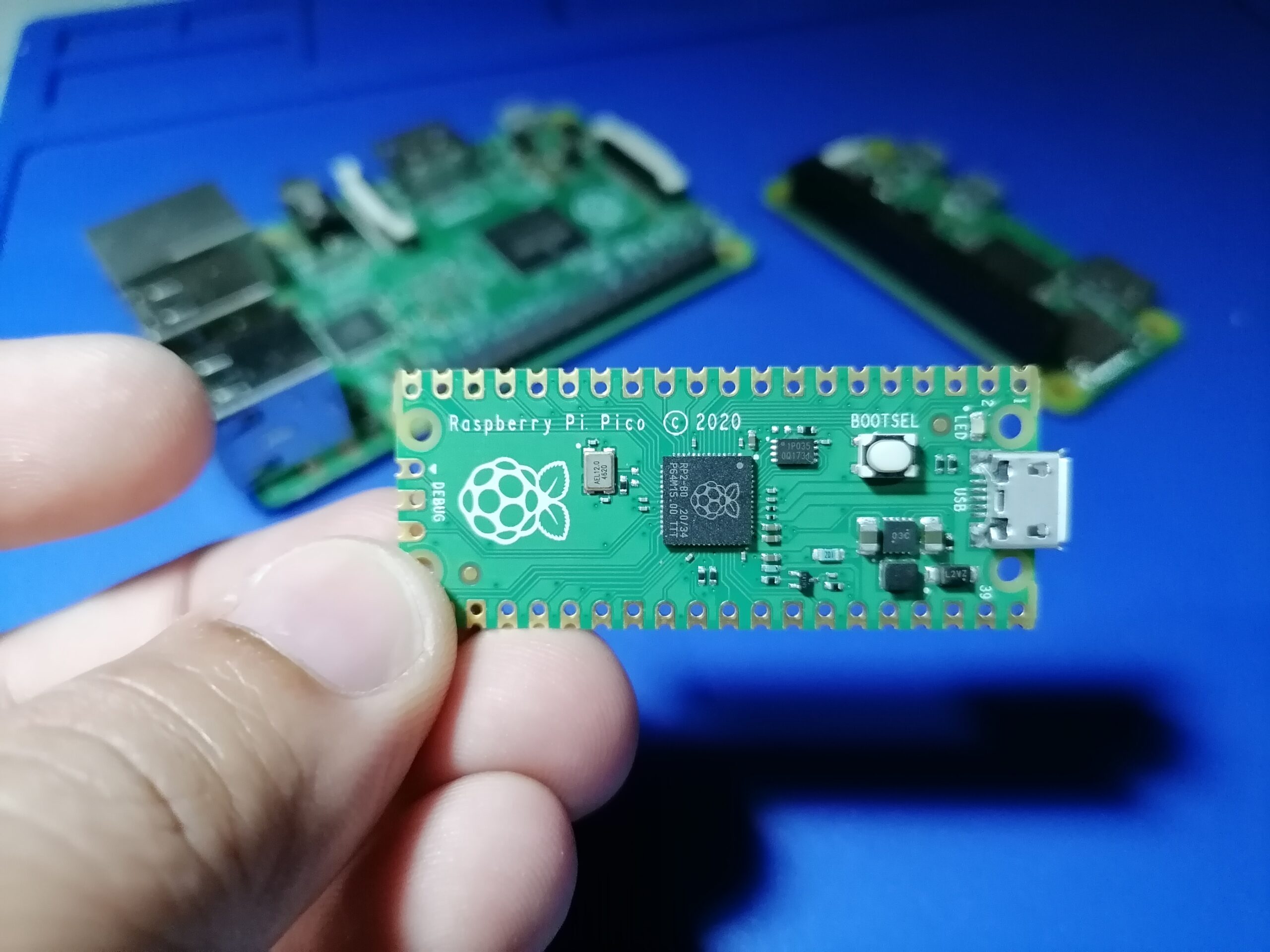
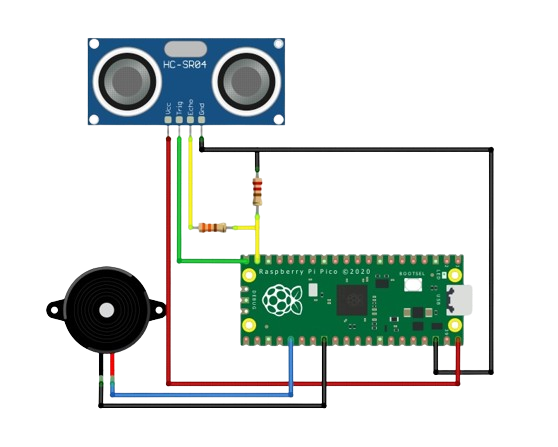
The Raspberry Pi Pico 2 looks almost identical to the original Raspberry Pi Pico, but underneath is a significantly more capable microcontroller.
The original Pico uses Raspberry Pi's RP2040, while the Pico 2 replaces it with the newer RP2350. The change brings faster processor cores, more RAM, twice the flash storage, hardware floating-point support, more Programmable I/O resources, optional RISC-V processing, and a considerably more advanced security architecture.
At the same time, Raspberry Pi intentionally kept the Pico 2 largely compatible with the original Pico. The physical board size and 40-pin layout remain familiar, which makes moving an existing project to the newer board relatively straightforward.
Let's take a closer look at the Raspberry Pi Pico vs Pico 2 and determine when the newer board is actually worth using.
Raspberry Pi Pico vs Pico 2 Specifications
| Feature | Raspberry Pi Pico | Raspberry Pi Pico 2 |
|---|---|---|
| Microcontroller | RP2040 | RP2350 |
| Main CPU | Dual Cortex-M0+ | Dual Cortex-M33 |
| Alternative CPU | None | Dual Hazard3 RISC-V |
| Maximum Clock | 133 MHz | 150 MHz |
| SRAM | 264 kB | 520 kB |
| Onboard Flash | 2 MB | 4 MB |
| Hardware Floating Point | No dedicated FPU | Yes |
| Exposed GPIO | 26 | 26 |
| Exposed ADC Inputs | 3 | 3 |
| UART | 2 | 2 |
| SPI | 2 | 2 |
| I2C | 2 | 2 |
| PWM Channels | 16 | 16 |
| PIO State Machines | 8 | 12 |
| USB | USB 1.1 host/device | USB 1.1 host/device |
The conventional peripheral count has not changed very much. Both boards still provide two UART controllers, two SPI controllers, two I2C controllers, three exposed ADC inputs, PWM, USB, and 26 multifunction GPIO pins.
The major improvements are inside the microcontroller.
RP2040 vs RP2350
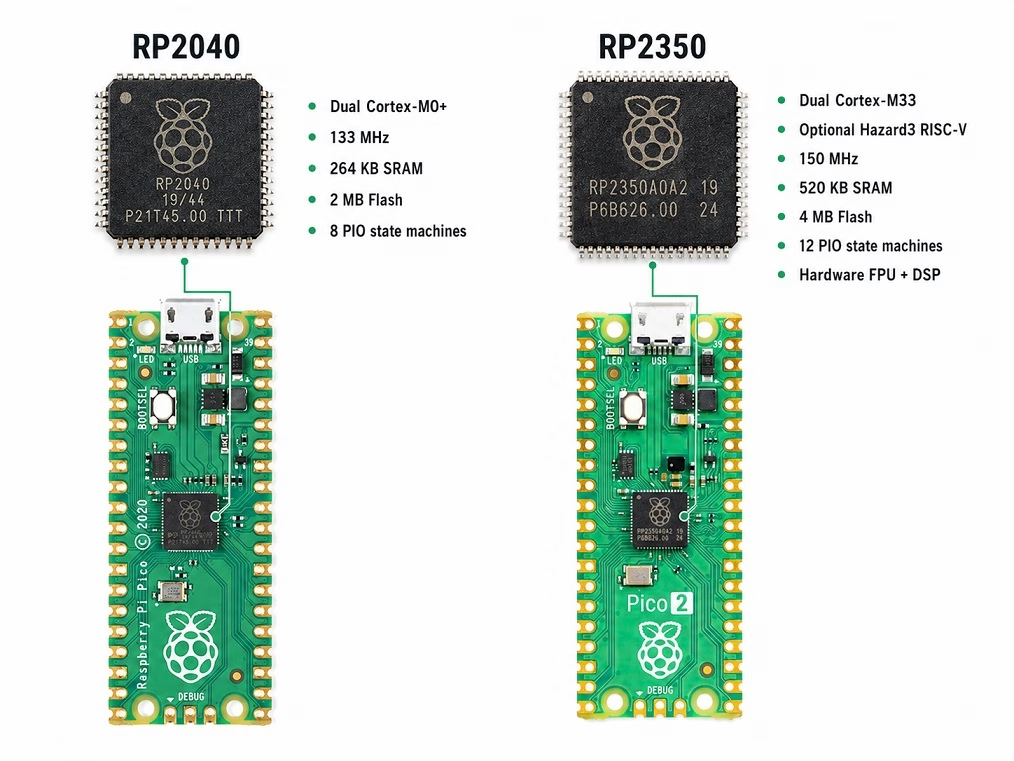
The most important difference between the two boards is the microcontroller.
The original Raspberry Pi Pico uses the RP2040, Raspberry Pi's first microcontroller. It contains two Arm Cortex-M0+ processor cores running at up to 133 MHz, along with 264 kB of SRAM. The Raspberry Pi Pico 2 uses the newer RP2350. Its primary processors are two Arm Cortex-M33 cores running at up to 150 MHz, and the chip contains 520 kB of SRAM.
So the improvement isn't simply:
133 MHz → 150 MHzThe Cortex-M33 is also a much more capable processor architecture than the Cortex-M0+. This becomes important for applications involving signal processing, mathematical calculations, control algorithms, audio processing, encryption, and other CPU-intensive tasks.
Cortex-M0+ vs Cortex-M33
The Cortex-M0+ used by the RP2040 was designed as a small and efficient processor for embedded applications. It works extremely well for jobs such as:
- Reading sensors
- Driving displays
- Controlling motors
- Handling GPIO
- Running communication protocols
- General microcontroller projects
The Cortex-M33 used by the RP2350 belongs to a more advanced Arm architecture. Among other improvements, it provides DSP instructions, hardware floating-point support, and Arm TrustZone security features.
This means the Pico 2 can perform more useful work per clock cycle in many applications. The performance improvement is therefore greater than the relatively small increase from 133 MHz to 150 MHz might suggest.
Hardware Floating-Point Support
One particularly useful improvement is the addition of hardware floating-point support.
The RP2040 does not contain a dedicated floating-point unit. It can certainly perform floating-point calculations, but these operations rely on software routines and optimized functions provided by the platform.
The Cortex-M33 processors in the RP2350 include hardware support for single-precision floating-point calculations as well as DSP instructions.
This can matter when your program performs calculations involving:
sin()
cos()
sqrt()
PID calculations
digital filters
FFT
sensor fusion
For example, a simple sensor calculation such as:
temperature = adc_voltage * calibration_factor;will work perfectly well on either board. However, an application continuously processing hundreds or thousands of floating-point calculations can benefit from the Pico 2's newer processor.
This makes the Pico 2 particularly interesting for robotics, audio processing, digital filtering, motion processing, and advanced control systems.
Almost Twice the RAM
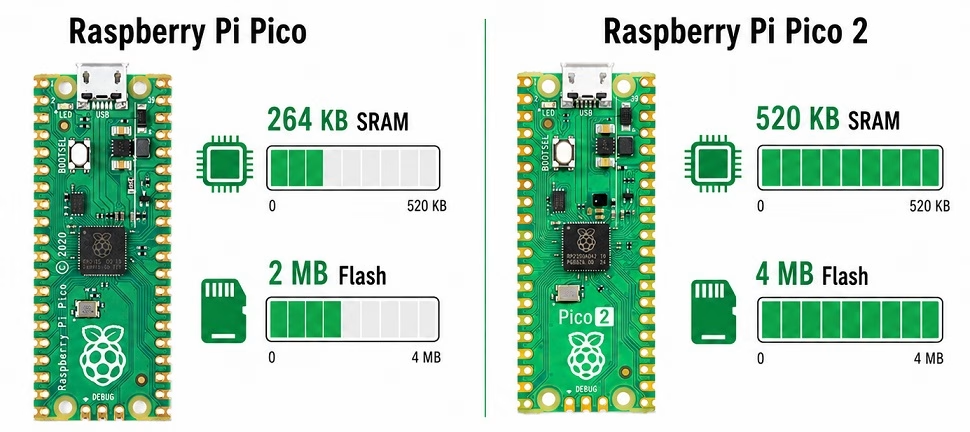
The original Pico contains 264 kB of SRAM. The Pico 2 increases this to 520 kB. That's close to twice as much working memory.
RAM becomes important when your application needs to hold large amounts of temporary data such as:
- Display framebuffers
- Audio samples
- Sensor histories
- Image data
- Large arrays
- Filesystem buffers
- Large MicroPython objects
For a blinking LED or basic temperature sensor, 264 kB is already far more than necessary. For graphics, data acquisition, audio processing, or larger MicroPython applications, however, the additional RAM can make a noticeable difference.
Twice the Flash Storage
Raspberry Pi also doubled the onboard flash memory.
The original Pico comes with 2 MB of QSPI flash, while the Pico 2 provides 4 MB.
Flash stores your program together with other data included with the firmware.
Two megabytes is already generous for many embedded applications, but flash consumption can increase quickly when a project contains:
- Fonts
- Images
- Audio samples
- Lookup tables
- MicroPython modules
- Large application resources
The Pico 2 therefore gives considerably more room for an application to grow.
Pico 2 Can Also Run RISC-V
One of the most unusual features of the RP2350 is that it contains processors based on two different instruction-set architectures.
Alongside its two Cortex-M33 processors are two Hazard3 RISC-V cores.
The RP2350 can therefore be configured to operate using:
Dual Arm Cortex-M33

or

Dual Hazard3 RISC-V
This does not normally mean that you have four general-purpose processor cores available to your application at the same time. Instead, the RP2350 allows the system to use either the Arm pair or the RISC-V pair.
For most Pico 2 users, the Cortex-M33 processors will remain the normal choice.
For embedded developers interested in experimenting with RISC-V, however, the Pico 2 provides a particularly interesting development platform.
More Programmable I/O
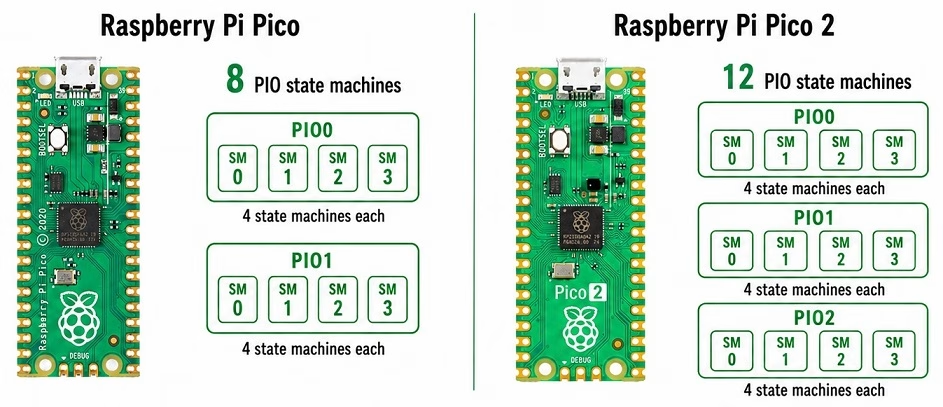
Programmable I/O, or PIO, was one of the features that made the original RP2040 unusual. PIO uses small programmable state machines that can generate and receive digital signals without requiring constant attention from the main CPU. The original Pico provides eight PIO state machines. The Pico 2 increases this to twelve PIO state machines.
PIO can be used for applications such as:
- WS2812 addressable LEDs
- VGA video generation
- Custom serial protocols
- Additional UART-like interfaces
- Precise pulse generation
- Logic analyzer inputs
- Unusual sensor interfaces
If your project makes heavy use of PIO, the Pico 2 gives you considerably more resources to work with.
Better Security
Security is another area where the RP2350 is substantially different from the RP2040.
The RP2350 adds a much more extensive security architecture, including features such as:
- Arm TrustZone for Cortex-M
- Secure boot capabilities
- SHA-256 acceleration
- True random number generation
- One-time-programmable storage
- Hardware support for isolating secure resources
For a hobby project blinking LEDs, these features may not matter at all.
For a commercial embedded product, however, they can become very useful.
For example, secure boot can help ensure that only authorized firmware runs on a device. Hardware cryptographic support can also help with authentication, device identity, and secure firmware updates.
Are Pico and Pico 2 Pin Compatible?
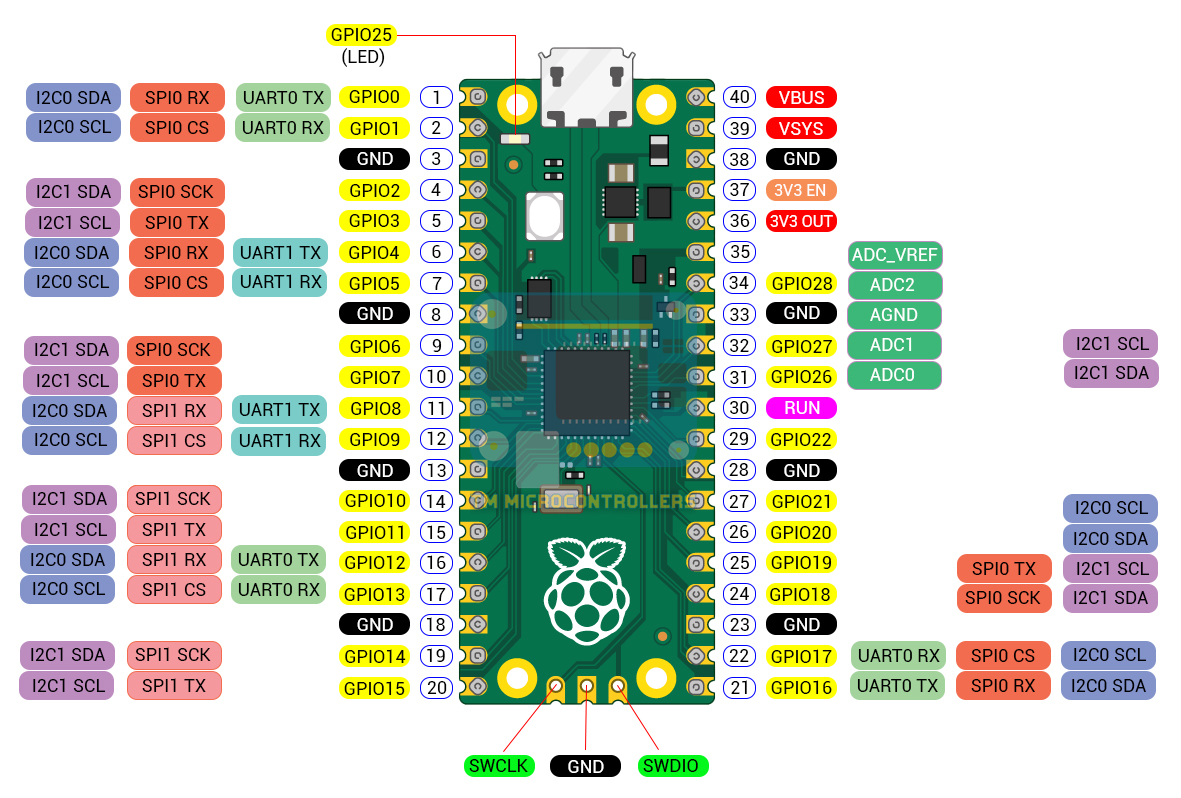
One of the best things about the Pico 2 is that Raspberry Pi retained the familiar 40-pin physical layout of the original Pico.
Both boards expose 26 multifunction GPIO pins, and normal peripheral connections can generally remain in the same locations.
For example, an existing circuit could contain:
Raspberry Pi Pico
      |
      +-- BME280 via I2C
      |
      +-- OLED via SPI
      |
      +-- Servo via PWM
      |
      +-- Push Button via GPIO
In many cases, the original Pico can simply be replaced with a Pico 2 without redesigning the surrounding circuit.
This compatibility is one of the strongest advantages of the second-generation board because an existing Pico design does not necessarily need to be rebuilt from scratch.
What About Existing Pico Programs?
Basic applications written using standard APIs are also relatively easy to move between the two boards.
For example, a simple MicroPython LED blink program looks familiar:
from machine import Pin
from time import sleep

led = Pin(25, Pin.OUT)

while True:
    led.toggle()
GPIO, I2C, SPI, UART, ADC, and PWM applications written through supported APIs generally require little or no modification.
Programs that directly manipulate RP2040 hardware registers are a different matter. Because the RP2350 is a different microcontroller, very low-level code may need to be updated.
For most Arduino, MicroPython, and Pico SDK projects, however, the transition is much easier.
Programming the Pico 2
The familiar Pico programming process remains.
Both boards can be programmed using C/C++ and MicroPython, and both support Raspberry Pi's UF2 drag-and-drop programming method.
Hold the BOOTSEL button while connecting the board to USB and the bootloader appears as a USB mass-storage device. You can then copy the appropriate UF2 firmware file to the board.
One important point is that firmware compiled for the RP2040 should not simply be assumed to work as RP2350 firmware. When downloading MicroPython or building C/C++ applications, select the correct Pico 2 target.
GPIO and Peripheral Comparison
Despite the much more capable processor, the conventional peripheral configuration remains familiar.
| Peripheral | Pico | Pico 2 |
|---|---|---|
| Exposed GPIO | 26 | 26 |
| Exposed ADC Inputs | 3 | 3 |
| UART | 2 | 2 |
| SPI | 2 | 2 |
| I2C | 2 | 2 |
| PWM Channels | 16 | 16 |
| PIO State Machines | 8 | 12 |
Moving to the Pico 2 therefore doesn't suddenly provide twice as many UART, SPI, or I2C controllers.
The biggest improvements are concentrated in the processor, RAM, flash storage, PIO subsystem, and security hardware.
Does the Pico 2 Have Wi-Fi?
No. The standard Raspberry Pi Pico 2 does not include Wi-Fi or Bluetooth.
Just as Raspberry Pi offers both Pico and Pico W boards based on the RP2040, there are separate Pico 2 and Pico 2 W boards based on the RP2350.
The family can therefore be viewed like this:
RP2040
 ├── Pico
 └── Pico W

RP2350
 ├── Pico 2
 └── Pico 2 W
If your project requires wireless networking, the Pico 2 W is the appropriate second-generation version.
When Does the Pico 2 Make a Difference?
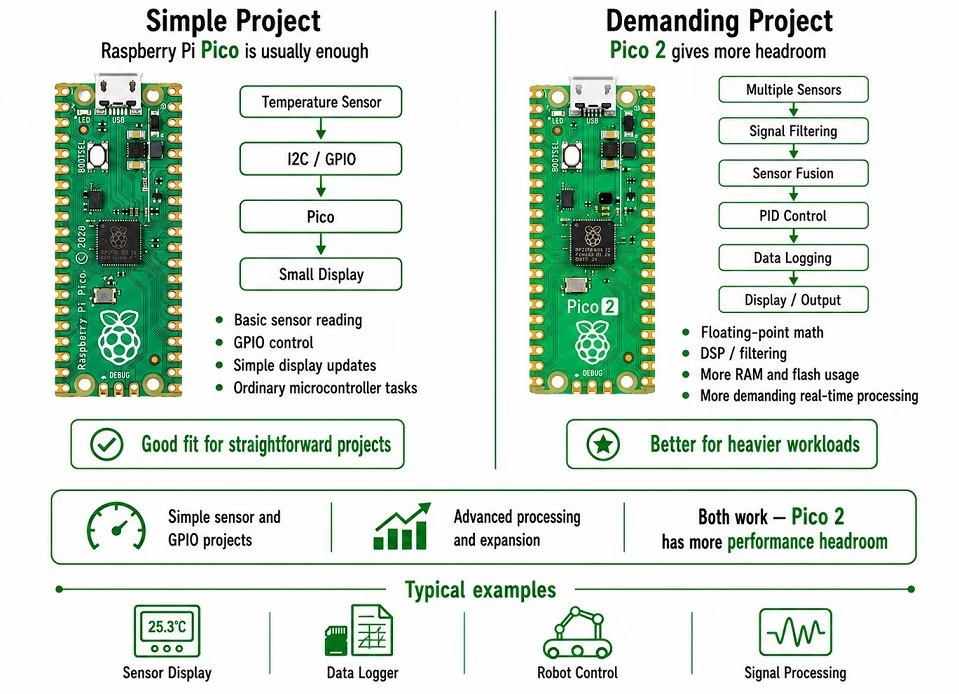
For simple microcontroller projects, you may notice very little difference.
Consider a basic temperature display:
Sensor → I2C → Pico → DisplayThe RP2040 already has far more processing power than this application requires. Replacing it with a Pico 2 probably won't make the temperature reading appear noticeably faster.
Now consider a more complicated system:
Multiple Sensors
       |
       v
Signal Filtering
       |
       v
Sensor Fusion
       |
       v
PID Control
       |
       v
High-Speed Data Logging
       |
       v
Display Output
Here, the faster Cortex-M33 processors, hardware floating point, additional RAM, extra flash, and increased PIO resources can become useful.
The same is true for audio processing, robotics, graphics, real-time data acquisition, and other demanding embedded applications.
Should You Upgrade an Existing Pico Project?
Not necessarily.
If your existing Raspberry Pi Pico project already works reliably and isn't running out of CPU time, RAM, flash, or PIO resources, replacing the RP2040 board may provide no practical improvement.
A push button doesn't need a Cortex-M33 processor just to tell you whether it has been pressed.
The Pico 2 becomes worthwhile when the limitations of the original Pico actually start becoming relevant.
Which One Should You Choose?
Choose the Raspberry Pi Pico if:
- Your project consists mainly of ordinary sensor and GPIO tasks.
- The RP2040 already provides enough processing power.
- You don't need large amounts of RAM.
- You don't need advanced security features.
- Lowest possible board cost is important.
Choose the Raspberry Pi Pico 2 if:
- You need more CPU performance.
- You need more RAM or flash storage.
- Your program performs significant floating-point calculations.
- You are doing DSP or signal processing.
- You need additional PIO state machines.
- You want the RP2350 security features.
- You want to experiment with RISC-V.
- You want additional performance headroom for future expansion.
For a new project, the Pico 2 is generally the more capable choice when the small additional cost isn't an issue.
That doesn't make the original Pico obsolete. The RP2040 remains more than capable enough for a very large number of embedded applications.
Raspberry Pi Pico vs Pico 2: Final Thoughts
The Raspberry Pi Pico 2 represents a much more substantial upgrade than its nearly identical appearance suggests.
The change from RP2040 to RP2350 brings:
- Cortex-M33 processors instead of Cortex-M0+
- 150 MHz maximum clock instead of 133 MHz
- 520 kB RAM instead of 264 kB
- 4 MB onboard flash instead of 2 MB
- Hardware floating-point and DSP support
- Optional Hazard3 RISC-V processors
- 12 PIO state machines instead of 8
- A much more capable security architecture
At the same time, Raspberry Pi retained the familiar Pico form factor and external pin arrangement.
For simple embedded projects, the original Raspberry Pi Pico remains perfectly capable. But for applications involving signal processing, larger programs, robotics, graphics, security, or applications that simply need more room to grow, the Raspberry Pi Pico 2 is clearly the more capable platform.