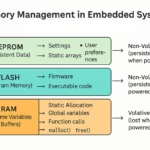
The nRF52832 is a versatile SoC (System on Chip) from Nordic Semiconductor that supports various features, including Flash Data Storage (FDS) for non-volatile data management. This post gives some basic examples of how to use FDS to save, delete, and update data, as well as how garbage collection works to manage flash memory on the nRF52832.
What is Flash Data Storage (FDS)?
Flash Data Storage (FDS) is a library provided by Nordic Semiconductor that simplifies the process of writing, deleting, and updating data in non-volatile flash memory. This is useful for storing configuration settings, device state, and other critical information that must persist across power cycles or resets.
FDS manages flash memory by organizing data into records, identified by a file ID and a record key. This abstraction layer eliminates the need for the developer to manage low-level flash operations manually.

Key Components in FDS
- File ID: A unique identifier for a group of records.
- Record Key: A unique identifier for each record within a file.
- Record: A single data entity that you want to store.
- Pages: Flash memory is divided into pages -- the minimum unit that can be erased in flash memory.
Saving Data in Flash
To save data using FDS, you need to define a record that contains the data you want to store, and then call the FDS API to write this record to flash memory.
Example of Saving Data
#include "fds.h"

// Sample data to be stored
uint32_t sample_data = 0x12345678;

// File ID and Record Key
#define FILE_ID 0x1111
#define RECORD_KEY 0x2222

void save_data(void) {
    fds_record_t record;
    fds_record_desc_t record_desc;
    fds_record_chunk_t record_chunk;

    // Set up the record chunk
    record_chunk.p_data = &sample_data;
    record_chunk.length_words = sizeof(sample_data) / sizeof(uint32_t);

    // Define the record
    record.file_id = FILE_ID;
    record.key = RECORD_KEY;
    record.data.p_chunks = &record_chunk;
    record.data.num_chunks = 1;

    // Write the record to flash memory
    ret_code_t err_code = fds_record_write(&record_desc, &record);
    if (err_code == NRF_SUCCESS) {
        // Data was written successfully
    }
}
In this example, a simple uint32_t value is stored in flash memory. The FDS library handles the details of writing the record, and the data is identified by the file ID and record key.
Updating Data in Flash
Updating data in flash is a common requirement when working with configuration settings or other dynamic information. The FDS library allows records to be updated efficiently by writing a new record and marking the old one as obsolete.
Example of Updating Data
void update_data(uint32_t new_data) {
    fds_record_desc_t record_desc;
    fds_find_token_t ftok = {0};

    // Find the record to update
    if (fds_record_find(FILE_ID, RECORD_KEY, &record_desc, &ftok) == NRF_SUCCESS) {
        // Create the new record data
        fds_record_t record;
        fds_record_chunk_t record_chunk;
        record_chunk.p_data = &new_data;
        record_chunk.length_words = sizeof(new_data) / sizeof(uint32_t);

        record.file_id = FILE_ID;
        record.key = RECORD_KEY;
        record.data.p_chunks = &record_chunk;
        record.data.num_chunks = 1;

        // Update the record
        ret_code_t err_code = fds_record_update(&record_desc, &record);
        if (err_code == NRF_SUCCESS) {
            // Record updated successfully
        }
    }
}
In this example, the fds_record_update function updates the existing record with new data.
Deleting Data in Flash
To delete data from flash memory, you can use the fds_record_delete function. Deleting a record does not immediately free up space, but marks it as obsolete. Space will be freed during garbage collection.
Example of Deleting Data
void delete_data(void) {
    fds_record_desc_t record_desc;
    fds_find_token_t ftok = {0};

    // Find the record to delete
    if (fds_record_find(FILE_ID, RECORD_KEY, &record_desc, &ftok) == NRF_SUCCESS) {
        // Delete the record
        ret_code_t err_code = fds_record_delete(&record_desc);
        if (err_code == NRF_SUCCESS) {
            // Record marked for deletion
        }
    }
}
Once a record is marked for deletion, it will not be accessible, but the space it occupies in flash memory will not be immediately reclaimed.
Garbage Collection
Flash memory has limited erase cycles, and the smallest unit that can be erased is a page. This means that you cannot immediately reuse the memory occupied by deleted or updated records. The FDS library handles this by performing garbage collection.
Garbage collection reclaims flash memory by erasing pages that contain obsolete records (those marked for deletion or old versions of updated records). This process can be triggered manually using the fds_gc() function or will happen automatically when necessary.
Example of Triggering Garbage Collection
void trigger_garbage_collection(void) {
    ret_code_t err_code = fds_gc();
    if (err_code == NRF_SUCCESS) {
        // Garbage collection was successful
    }
}
Garbage collection will erase entire flash pages, freeing up space for future writes. It’s important to note that if a page contains any active (non-obsolete) records, it cannot be erased until all records are either moved or deleted.
Best Practices for FDS and Flash Memory Management
- Avoid frequent writes: Flash memory has a limited number of erase/write cycles. Try to minimize the frequency of updates to prolong the life of the flash.
- Use garbage collection proactively: Trigger garbage collection periodically to ensure that flash space is freed up for future use.
- Monitor flash usage: Keep an eye on how much flash memory is being used and reclaimed. FDS provides functions like fds_stat to check memory usage.
- Error handling: Always handle the return codes from FDS functions to ensure that operations like writing and deleting are successful.
Conclusion
The FDS library in the nRF52832 simplifies the use of flash memory by providing functions for saving, deleting, and updating data. It abstracts the complexities of flash memory management, allowing you to focus on the functionality of your application. Understanding how to use FDS efficiently, along with triggering garbage collection, is essential for maintaining the longevity and reliability of your device's flash memory.