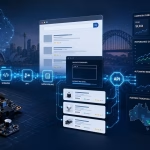
It's quite satisfying to make your tech feel like yours. From a custom keyboard with special keycaps, to a PC build that you've carefully selected the cable routing for, to a laptop that's stuck with a story of stickers customizing makes those devices less of a generic gadget and more of an extension of you.
However, there are times when customization isn't as straightforward as changing a cover. Depending on how deep you want to go, you'll need the right tools. Let's take a look at some of the best available out there, hands-on hardware changes and clever digital touches.
Start with the Hardware: Physical Customization Tools
When it comes to hardware level tweaks, like building custom PCs, modding controllers, or making DIY audio gear, physical things are important. And it starts with understanding your components.
Essential Electronics Tools
Understanding wiring and cable assembly is a basic fact of life for anyone who is developing or altering devices that require electronics. These devices, such as:
Wire strippers
Crimping kits
Soldering iron
Heat shrink tubing
These may not be the most glamorous, but they are what make the difference between a sleek, functional build and a tangled mess of connections. Soldering kits, such as Hakko and Engineer Inc. are pretty trustworthy at entry level without being too expensive, and if you are new to soldering, YouTube is pretty much stuffed with good tutorials.
Aesthetic Improvements
A sleek build with a side-panel window also has a ton of aesthetic improvements to be had from cable management accessories:
Velcro ties
Cable combs
Sleeving kits
One of those that has a big impact with little effort.
Planning Before You Build: Prototyping Tools
The one thing many enthusiasts do wrong is to dive into modding without having tested anything at all. That's where the prototyping tools come in handy.
Developing Complex Projects
Prototype wiring harnesses are useful when developing a more complex electronics project, such as a custom controller, a mechanical keyboard from scratch, or even a wearable electronics gadget, by allowing you to experiment with electrical connections and layouts before finalizing a permanent wiring harness.
Common staples in this world include:
Breadboards
Sets of jumper wires
Arduino or Raspberry Pi computers
They provide you the liberty to experiment, break things in a safe method and rapidly iterate without the price of redoing completed work.
Digital Design and Testing
Software programs such as Fritzing or KiCad allow you to design circuit diagrams even on paper before picking up a wire. Pair these with an easy multimeter for testing and you have a good prototyping procedure.
Visual Customization: Making It Look the Part
Not everyone wants to become involved in circuit boards and soldering. In some cases, it's enough to simply wish your gear looked different, and there are some pretty amazing digital tools to help you out.
Background Removal and Asset Creation
Background clutter is one of the largest obstacles of creating custom skins, wallpapers, product mockups, and so on, for your gear. Even an AI background remover can prove to be a very handy tool in your design kit.
Background removal tools can easily remove backgrounds from product or personal photos in seconds, ideal for:
Product mockup images
Social media content
Custom decals without Photoshop
Combine this with a tool such as Canva or Affinity Designer, and you can create your own custom creative sticker sheets, PC panel art, or desk mat designs with ease and at a professional level.
Wearable Tech and Personal Gear: Going Even More Personal
Devices on your desk aren't the only ones that can be customized. There's a growing trend of people taking their own personal style to wearables and accessories, and some odd products have come out to help with that.
Digital Design for Body Art
Body art that draws on digital design is one surprising but truly innovative niche of this area. For those who want their tech addiction to be a tad more hardcore (literally), there's a Picture to Tattoo Generator that can take a concept, such as a circuit board pattern, a favorite game character or a geometric design, and make it a tattoo-ready format.
AI art generators, for example, can generate drafts of images that can be inked and shown to a tattoo artist, instead of arriving at a walk-in with a vague concept in mind and hoping for the best. It is indeed a niche use case. However it's a testament to the culture of personalization that has moved from screens to skin.
Software Tools Worth Knowing
Software customization isn't just about appearances; it can significantly impact the user experience of your tech:
AutoHotkey – Remap keys, automate repetitive tasks, and create custom shortcuts for the Windows operating system.
OpenRGB – Control RGB lighting from different devices from a single interface, no matter of the brand.
VIA / QMK – For those who are using a compatible mechanical keyboard, these options will allow you to completely rewrite each key, layer and macro.
Fan Control (app) – Control your PC's Fan Curves precisely rather than using default fan control settings on your motherboard.
They are not flashy, but make a difference in everyday life.
Some Final Thoughts
It's one of those hobbies that requires patience and curiosity modifying your technology equipment. Don't be afraid to go “all in” on day one, but you can start small as well, such as organizing your cables or setting up a custom keyboard shortcut profile, and then build from there.
The most effective tools are the ones that are aligned with where you're at:
Physical tools and prototyping stations are required for hardware builders.
Image editing and AI-powered workflows are essential for visual designers.
And there's more opportunity for personalization than ever before for those who wish to proceed down that path. The end result is the same no matter the direction it's gear that feels like it was designed for you and, in the end, it was.