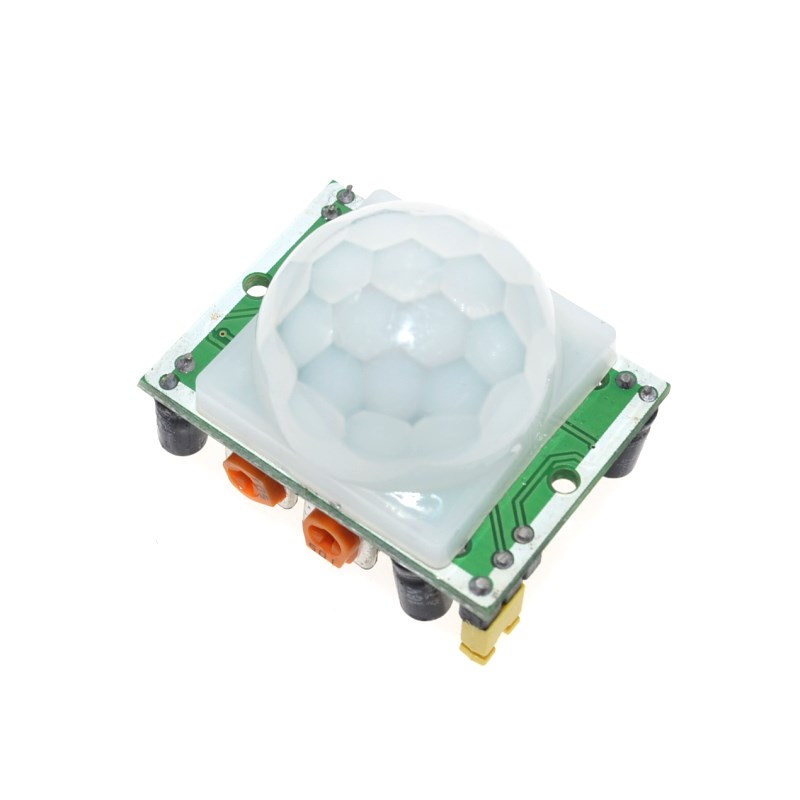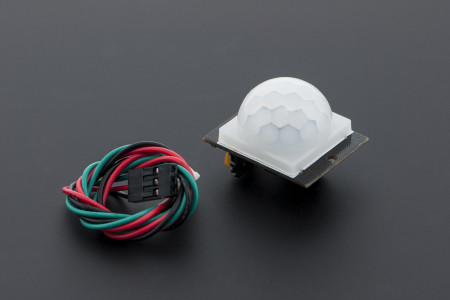
Motion detection usually means PIR sensors, cameras, or microphones. ESPectre takes a very different approach: it detects movement by analyzing how the human body disturbs Wi-Fi radio waves.
Interestingly, many modern signal-processing systems — from Wi-Fi sensing to broadcast monitoring infrastructures like this Thor Broadcast deployment — rely on analyzing how signals propagate through networks.
In this tutorial, I’ll walk through what ESPectre is, how it works, and how to set it up using an ESP32 and Home Assistant. No cameras, no audio recording, and no machine learning — just physics and signal processing.
What Is ESPectre?
ESPectre is an open-source motion detection system that runs on an ESP32 and uses Wi-Fi Channel State Information (CSI) to detect movement.
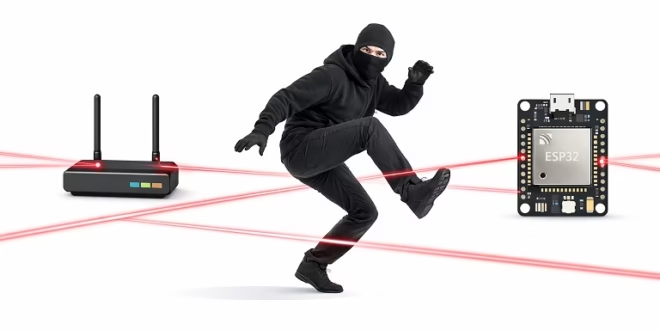
When a person moves through a room, their body changes the way Wi-Fi signals bounce and propagate between a router and the ESP32. ESPectre measures these changes and converts them into a motion signal that can be used for automation or security.
Key characteristics:
- No cameras
- No microphones
- Works in total darkness
- Preserves privacy
- Integrates with Home Assistant via MQTT
How Wi-Fi Motion Detection Works
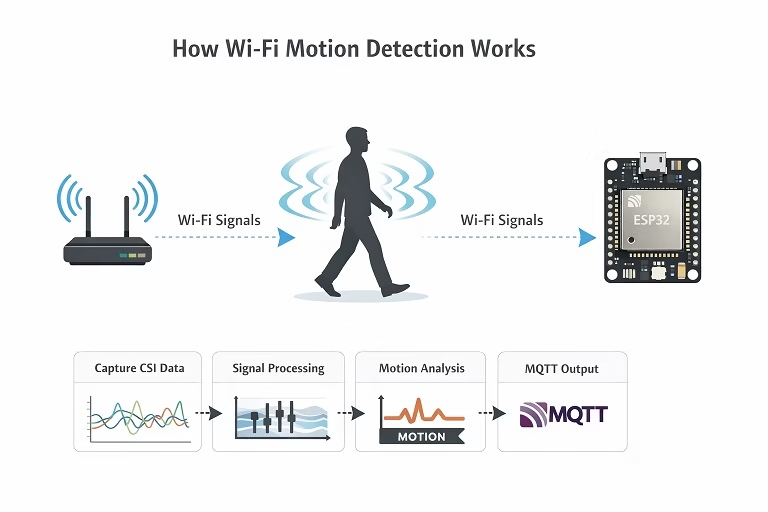
Wi-Fi signals do not travel in a straight line. They reflect off walls, furniture, and people. Modern Wi-Fi chips expose detailed radio measurements known as Channel State Information (CSI).
ESPectre:
- Captures CSI data from Wi-Fi packets
- Stabilizes and filters the signal
- Measures variance caused by movement
- Produces a real-time motion score
- Publishes motion events via MQTT
Instead of learning patterns through AI, ESPectre relies on signal statistics such as variance and segmentation. This makes it lightweight and fast enough to run entirely on the ESP32.
Hardware Requirements
You will need the following:
- ESP32 board with CSI support
- ESP32-S3 is recommended
- ESP32-C6 also works
- A 2.4 GHz Wi-Fi network
- USB cable for flashing
- Optional external antenna for better range
No special router configuration is required.
Software Requirements
- ESP-IDF version 6.1
- Git
- MQTT broker
- Home Assistant’s built-in broker, or
- Mosquitto on a PC, Raspberry Pi, or NAS
- Home Assistant (optional but recommended)
Cloning the ESPectre Repository
Open a terminal and clone the project:
This repository contains the firmware, configuration options, and tuning documentation.
Setting Up ESP-IDF
ESPectre is built using Espressif’s official framework.
Make sure:
- ESP-IDF v6.1 is installed
- idf.py is available in your terminal
- Your ESP32 drivers are correctly installed
Once ESP-IDF is ready, connect your ESP32 via USB.
Configuring the Firmware
Set the target chip (example for ESP32-S3):
Open the configuration menu:
Inside menuconfig, configure:
- Wi-Fi SSID and password
- MQTT broker address
- MQTT credentials (if required)
- CSI capture settings (leave defaults initially)
Save and exit.
Building and Flashing
Compile the firmware:
Flash it to the ESP32:
After flashing, monitor the output:
If everything is correct, the ESP32 will connect to Wi-Fi and start publishing motion data.
MQTT Integration
ESPectre communicates using MQTT.
Using Home Assistant
If you are running Home Assistant with MQTT enabled:
- ESPectre uses Home Assistant MQTT auto-discovery
- Motion sensors will appear automatically
You will typically see:
- A binary motion sensor
- A numeric movement or activity score
No YAML configuration is required for basic usage.
Using a Standalone MQTT Broker
If you are not using Home Assistant, you can subscribe manually:
This allows you to inspect raw motion data and debug signal behavior.
Sensor Placement Guidelines
Placement has a major effect on detection quality.
Recommended setup:
- ESP32 placed 3 to 8 meters from the Wi-Fi router
- Height of approximately 1 to 1.5 meters
- Avoid metal surfaces and dense electronics
- Clear line-of-sight is helpful but not required
The router and ESP32 create a radio “field.” Motion is detected when someone crosses or disturbs that field.
Tuning Motion Sensitivity
ESPectre includes tuning parameters that affect sensitivity and noise rejection.
Common parameters include:
- Segmentation threshold
- Filtering strength
- Subcarrier selection
Start with default values. Once motion detection is working, adjust thresholds to:
- Reduce false positives
- Ignore pets or fans
- Improve responsiveness
Tuning is environment-specific and may take some experimentation.
Example Use Cases
ESPectre can be used for:
- Turning lights on when someone enters a room
- Detecting occupancy without cameras
- Privacy-friendly home security
- Energy saving automation
- Presence detection in offices or bedrooms
Because it does not rely on infrared or optics, it works through furniture and in complete darkness.
Troubleshooting Tips
If no motion is detected:
- Confirm Wi-Fi connection
- Check MQTT broker address
- Verify CSI is enabled in firmware
If motion is always detected:
- Increase segmentation threshold
- Move ESP32 farther from the router
- Reduce environmental noise sources
If Home Assistant sensors do not appear:
- Ensure MQTT discovery is enabled
- Restart Home Assistant
- Check MQTT logs
Final Thoughts
ESPectre demonstrates that motion detection does not require cameras or microphones. By using Wi-Fi CSI and an ESP32, it offers a low-cost, privacy-respecting alternative that integrates cleanly with Home Assistant.
If you are interested in experimental sensing, smart homes, or signal processing, ESPectre is a project worth exploring.