April 30, 2017
ESP8266 Tutorial
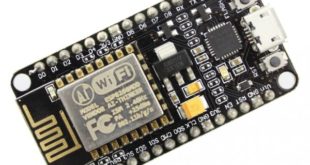
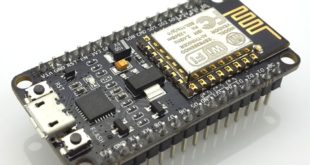
We're done with basics of the NodeMCU in my last post. Now it's time to use the NodeMCU like how it's meant to be: an IoT device. Here I will show you how to create a simple NodeMCU web server which will control a LED attached to one of the NodeMCU's …
Read More »
April 29, 2017
ESP8266 Tutorial
The NodeMCU is a development board featuring the popular ESP8266 WiFi chip. As it turns out, you can program the ESP8266 just like any other microcontroller. Its obvious advantage over the Arduino or PIC is that it can readily connect to the Internet via WiFi. However, the ESP8266 breakout board …
Read More »
March 20, 2017
Arduino Tutorial
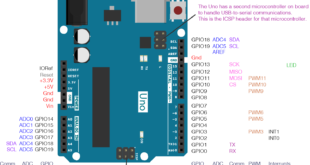
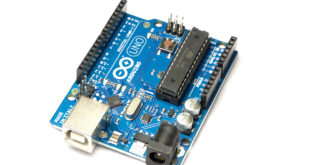
If you've coded PICs before Arduinos one of the things you might have noticed is the lack of function on the latter to manipulate multiple pins at once. Manipulating all the Arduino pins at once is needed, for example, when using a seven-segment display or creating strobe lights. Is there …
Read More »
March 20, 2017
Arduino Tutorial
One of the strengths of the Arduino platform is its extensive library. Libraries make life simpler for coders; imagine how hard it would be if there's no LiquidCrystal or Servo library ready for use. In my experience, projects took shorter time because of the built-in and third-party Arduino library you …
Read More »
March 18, 2017
Arduino Tutorial
If you want to do serial debugging for your PIC, ESP8266, Bluetooth module and a TTL-to-USB converter (pictured below) is nowhere in sight, you can simply use an Arduino USB serial converter! The Arduino UNO has its own FTDI chip whose function is to convert TTL signal levels to USB. …
Read More »
March 16, 2017
ESP8266 Tutorial, PIC Tutorial
The Internet of Things (IoT) revolution has inspired thousands of makers to build interconnected systems that span the globe. Want to join the revolution? Learn first how to make a PIC16F877 Internet connection! This tutorial will cover using the PIC with the ESP8266 Wi-Fi module both in sending and receiving …
Read More »
February 19, 2017
Raspberry Pi Tutorial
I don't have a monitor for my Raspberry Pi so I use SSH to access and control it. I can do everything I need with SSH but sometimes I just grow tired of looking at the terminal and just want to point and click my mouse in using my board. …
Read More »
February 19, 2017
Arduino Tutorial, BeagleBone Tutorial
One way to connect a microcontroller to another microcontroller is through the serial port. Here I will show you how to use the Beaglebone Black serial port to connect to the Arduino UNO.
Read More »
February 18, 2017
BeagleBone Tutorial
One of the most important things your microcontroller can do is read analog voltages. It is important particularly in interfacing with sensors where most throw varying voltage levels that represent varying physical quantities (temperature, pressure, etc.). Microcontrollers, including the Beaglebone Black, have analog to digital converters to do this. Here …
Read More »
February 12, 2017
Features
When working on projects, there'll be lots of times when your microcontroller needs serial communication to talk to other devices or other micros. The most common example of this is adding IoT capabilities to your Arduino board or PIC using ESP8266 or GSM module. A number of sensors and LCD …
Read More »