December 29, 2018
Arduino Tutorial
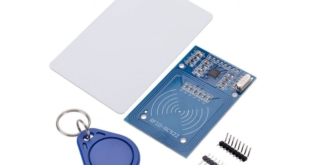
RFID technology has been around for quite a while. But it was only recently that hobbyist and makers was able to utilize this technology through the Mifare RC522 RFID module. In this article, I will show you how you can easily use cards as keys for anything, from attendance systems, …
Read More »
December 28, 2018
Arduino Tutorial
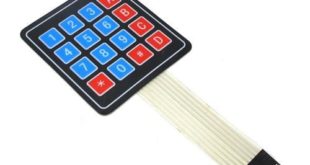
Using a keypad is an upgrade over using buttons for input on your Arduino project. Actually, a keypad is a set of 12 or 16 buttons wired so that the pin usage is reduced. In this tutorial, I will explain how a keypad matrix works and how to use it …
Read More »
December 27, 2018
Arduino Tutorial, ESP8266 Tutorial
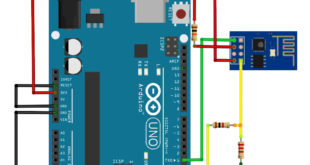
The ESP8266 has been a blessing to makers who need to connect their Arduino to the Internet on the cheap. In fact, boards like the NodeMCU and WeMos which feature the ESP module have become overly popular. This is unsurprising given that these boards can replace the Arduino without a …
Read More »
October 24, 2018
Arduino Tutorial
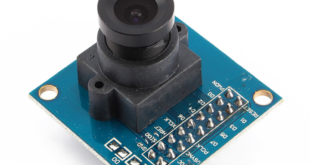
Electronics projects like movement and obstacle detection, drone fleet management, and robots require a camera for capturing images. I personally recommend using a Raspberry Pi or BeagleBone Black for these kind of projects because the Arduino doesn’t have enough juice to handle the complexities of pictures and, more so, videos. However, if the …
Read More »
September 13, 2018
Arduino Tutorial, Sensor Tutorial
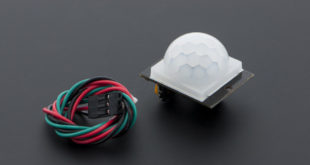
I’ve already covered the basics of how a PIR motion sensor work on my previous tutorial. DFRobot was kind enough to send me a free sample of their PIR motion sensor. So naturally, I got to play with and write about it today. Two of a Kind It turns out, …
Read More »
June 14, 2018
Arduino Tutorial
In my previous Arduino Interrupt tutorial, I showed how to use the external and pin change interrupts for the ATMega328p-based Arduinos. There, I showed an example where pressing a button halts the normal program execution at any time and serves another routine (Interrupt Service Routine or ISR). In this article, …
Read More »
June 13, 2018
Arduino Tutorial
An interrupt, in microcontroller context, is a signal that temporarily stops what the CPU is currently working at. Programming using interrupts is very different from the usual top-to-bottom sequence in an Arduino program and thus can be confusing for some. This article aims to introduce how an interrupt works and …
Read More »
June 12, 2018
Raspberry Pi Tutorial
The serial port is a common way to “talk” to devices and is a feature that most microcontrollers and computers have. This Raspberry Pi Serial tutorial teaches you how to utilize the board’s UART feature in order to connect to a PC or to other microcontrollers and peripherals.
Read More »
June 6, 2018
Raspberry Pi Tutorial
For the next part of the series on Raspberry Pi, I will show how to produce a PWM signal from a pin. Moreover, I will show you how to control single and multiple servo motors in this Raspberry Pi PWM tutorial.
Read More »
June 5, 2018
Raspberry Pi Tutorial
The Raspberry Pi is a Linux computer. But unlike most desktop and laptop Linux computers, users have access to a row of pins that can be used as inputs or outputs. These 40 pins are called GPIO (General Purpose Input Output) pins. This Raspberry Pi GPIO tutorial aims to help …
Read More »