December 28, 2018
Arduino Tutorial
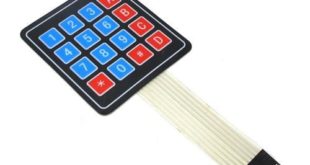
Using a keypad is an upgrade over using buttons for input on your Arduino project. Actually, a keypad is a set of 12 or 16 buttons wired so that the pin usage is reduced. In this tutorial, I will explain how a keypad matrix works and how to use it …
Read More »
December 27, 2018
Arduino Tutorial, ESP8266 Tutorial
The ESP8266 has been a blessing to makers who need to connect their Arduino to the Internet on the cheap. In fact, boards like the NodeMCU and WeMos which feature the ESP module have become overly popular. This is unsurprising given that these boards can replace the Arduino without a …
Read More »
October 24, 2018
Arduino Tutorial
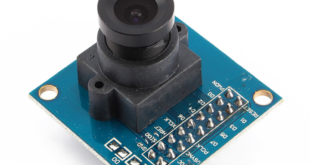
Electronics projects like movement and obstacle detection, drone fleet management, and robots require a camera for capturing images. I personally recommend using a Raspberry Pi or BeagleBone Black for these kind of projects because the Arduino doesn’t have enough juice to handle the complexities of pictures and, more so, videos. However, if the …
Read More »
September 13, 2018
Arduino Tutorial, Sensor Tutorial
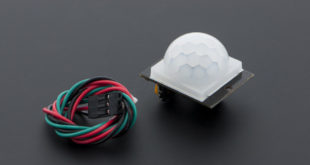
I’ve already covered the basics of how a PIR motion sensor work on my previous tutorial. DFRobot was kind enough to send me a free sample of their PIR motion sensor. So naturally, I got to play with and write about it today. Two of a Kind It turns out, …
Read More »
June 14, 2018
Arduino Tutorial
In my previous Arduino Interrupt tutorial, I showed how to use the external and pin change interrupts for the ATMega328p-based Arduinos. There, I showed an example where pressing a button halts the normal program execution at any time and serves another routine (Interrupt Service Routine or ISR). In this article, …
Read More »
June 13, 2018
Arduino Tutorial
Suppose your Arduino project reads a sensor, updates a display, and responds to a push button. Most of the time, the button works as expected. Every so often, though, a quick press seems to do nothing, most likely because the program was busy elsewhere when the button changed state. One …
Read More »
May 30, 2018
Arduino Tutorial
A RGB LED is a special light-emitting diode that can produce 16 million possible colors, all by combining the colors red, green, and blue in varying intensities. This tutorial will show you how to use a RGB LED with Arduino. Introduction to RGB LEDs RGB LEDs typically have four pins …
Read More »
May 29, 2018
Arduino Tutorial, Sensor Tutorial
Turbidity refers to the haziness of a fluid caused by the increased number of very tiny particles which, individually, is invisible to us. Moreover, turbidity measurement is important in testing the quality of water. This Arduino turbidity sensor tutorial provides a guide on how to implement this setup using a …
Read More »
May 28, 2018
Arduino Tutorial, Sensor Tutorial
How can an Arduino detect sound? The simplest way is to use a microphone module, often sold as an Arduino sound sensor. These small boards usually include an electret microphone, a few support components, and an amplifier circuit that turns sound vibrations into a voltage the Arduino can read. In …
Read More »
May 22, 2018
Arduino Tutorial
The classic parallel LCD sometimes poses a problem for projects that use a lot of Arduino pins. The least amount of pins you can use is six, excluding the power pins and the potentiometer contrast adjust (optional) pin. Thankfully, by using an I2C LCD "backpack", the pin use can be …
Read More »