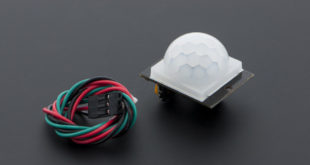
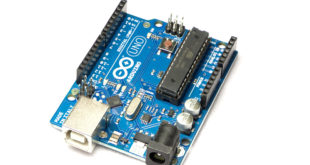
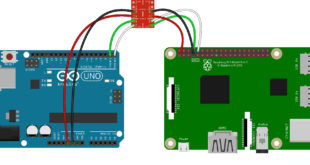
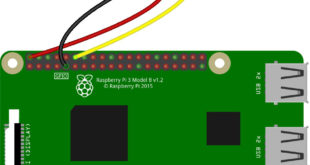
I’ve already covered the basics of how a PIR motion sensor work on my previous tutorial. DFRobot was kind enough to send me a free sample of their PIR motion sensor. So naturally, I got to play with and write about it today. Two of a Kind It turns out, …
Read More »Interrupt Tutorial II - Arduino Timer Interrupt
In my previous Arduino Interrupt tutorial, I showed how to use the external and pin change interrupts for the ATMega328p-based Arduinos. There, I showed an example where pressing a button halts the normal program execution at any time and serves another routine (Interrupt Service Routine or ISR). In this article, …
Read More »Arduino Interrupt Tutorial
Suppose your Arduino project reads a sensor, updates a display, and responds to a push button. Most of the time, the button works as expected. Every so often, though, a quick press seems to do nothing, most likely because the program was busy elsewhere when the button changed state. One …
Read More »Raspberry Pi Serial (UART) Tutorial
The serial port is a common way to “talk” to devices and is a feature that most microcontrollers and computers have. This Raspberry Pi Serial tutorial teaches you how to utilize the board’s UART feature in order to connect to a PC or to other microcontrollers and peripherals.
Read More »Raspberry Pi PWM and Servo Motor Tutorial
For the next part of the series on Raspberry Pi, I will show how to produce a PWM signal from a pin. Moreover, I will show you how to control single and multiple servo motors in this Raspberry Pi PWM tutorial.
Read More »Raspberry Pi GPIO Tutorial
The Raspberry Pi is a Linux computer. But unlike most desktop and laptop Linux computers, users have access to a row of pins that can be used as inputs or outputs. These 40 pins are called GPIO (General Purpose Input Output) pins. This Raspberry Pi GPIO tutorial aims to help …
Read More »Arduino RGB LED Tutorial
A RGB LED is a special light-emitting diode that can produce 16 million possible colors, all by combining the colors red, green, and blue in varying intensities. This tutorial will show you how to use a RGB LED with Arduino. Introduction to RGB LEDs RGB LEDs typically have four pins …
Read More »Using an Arduino Turbidity Sensor
Turbidity refers to the haziness of a fluid caused by the increased number of very tiny particles which, individually, is invisible to us. Moreover, turbidity measurement is important in testing the quality of water. This Arduino turbidity sensor tutorial provides a guide on how to implement this setup using a …
Read More »Arduino Microphone Tutorial: Read Sound with a Sensor
How can an Arduino detect sound? The simplest way is to use a microphone module, often sold as an Arduino sound sensor. These small boards usually include an electret microphone, a few support components, and an amplifier circuit that turns sound vibrations into a voltage the Arduino can read. In …
Read More »How to Use I2C LCD with Arduino
The classic parallel LCD sometimes poses a problem for projects that use a lot of Arduino pins. The least amount of pins you can use is six, excluding the power pins and the potentiometer contrast adjust (optional) pin. Thankfully, by using an I2C LCD "backpack", the pin use can be …
Read More »