Home / Tutorials (page 20)

Tutorials

Controlling a Servo Motor with BoneScript
beaglebone black adc

Using the Beaglebone Black's PWM Bonescript also includes an analogWrite function which utilizes the 8 PWM pins of the Beaglebone Black. As you might already know, PWM allows us to control a servo motor. The analogWrite function accepts the pin name, duty cycle, frequency, and callback function as parameters. The …

Read More »

Analog Signals with BeagleBone BoneScript

beaglebone black adc

Using the Beaglebone Black ADC One of the advantages of the Beaglebone Black over the Raspberry Pi is the presence of an analog-to-digital converter. There are 7 analog inputs, all at P9: To process analog signals, we’ll be using the analogRead() function. Note that the analog pins can only read …

Read More »

Input to BeagleBone Black with BoneScript

beaglebone black adc

Using a Button As you’ve noticed, the functions in bonescript are similar to Arduino’s. If we are to use an input device such as a button, switch, etc, we only need to change the direction using pinMode: var b = require('bonescript'); b.pinMode("P9_12", b.INPUT);   The script below reads the state …

Read More »

PIC ADC (Analog to Digital Conversion)

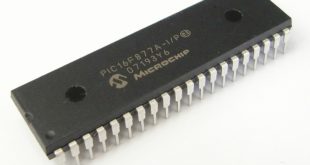
PIC16F877A

There are instances when digital systems need to interface with devices that produce analog signals, such as sensors and radio equipment. In such cases, the digital system, such as a microcontroller, needs an analog-to-digital converter (ADC) to handle the analog signal.

Read More »

Blink a LED with Bonescript

beaglebone black adc

Blinking On-board LEDs The simplest bonescript we can create right now is to blink one of the four user LEDs. The user LEDs are those four blue LEDs just above the miniUSB port: On Cloud9 IDE (192.168.7.2:3000), open a new file (click the + tab) and then paste the following …

Read More »

The Beaglebone Black Hardware

beaglebone black adc

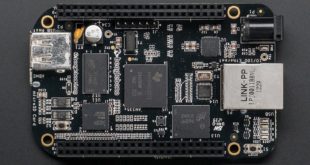
Ah, the Beaglebone Black. This credit card-sized computer was meant to be the Raspberry Pi’s competitor and sure lives up to it. Its users are way less than RPi’s, which is understandable, given the Pi’s appeal to beginners and the like. But if you would ask me what to choose …

Read More »

How to use 16x2 LCD with Raspberry Pi

raspberry pi lcd

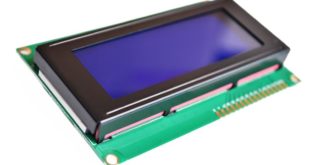
The 16x2 parallel LCD (HD44780) is a popular liquid crystal display among hobbyists due to its cheap price and ease of use. The Arduino platform recognizes its popularity and created the LiquidCrystal library for it. The Arduino LCD tutorial covers that. I attempted to port the LiquidCrystal library to the …

Read More »

Arduino Sensor Interfacing Tutorial

arduino sensor example

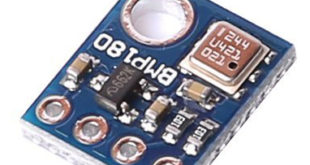
A sensor is a device that transforms physical quantities like temperature, humidity, pressure, etc., to an electrical signal. Moreover, this signal is often fed to a microcontroller like the Arduino for further processing, displaying or recording. This data from the sensor are often analog in nature, i.e., they vary over …

Read More »